GaugeMon
Mac Performance Guide
Find what is draining your MacBook battery
Short answer
Rank processes by energy with top, see what is keeping the Mac awake with pmset -g assertions, and quit the offenders. System Settings › Battery shows the history of how fast the charge has been falling.
From the terminal
Charge and time left
pmset -g battNow drawing from 'Battery Power'
-InternalBattery-0 (id=35586147) 59%; discharging; 2:51 remaining present: trueProcesses ranked by energy
top -l 2 -n 10 -o power -stats pid,command,cpu,powerRead the second block (the first prints zeros). top does not document the unit of its POWER column, so treat it as a ranking, not watts.
What is preventing sleep
pmset -g assertions pid 39585(caffeinate): ... PreventUserIdleSystemSleep named: "caffeinate command-line tool"
pid 41038(Electron): ... NoIdleSleepAssertion named: "Electron"The actual drain
ioreg -rn AppleSmartBattery | grep -E '"(InstantAmperage|Voltage|CycleCount)"' "InstantAmperage" = 18446744073709549363
"Voltage" = 11517
"CycleCount" = 82A negative current prints as a huge unsigned number: 18446744073709549363 is −2253 mA. Multiply by the voltage in volts: 2.253 A × 11.517 V ≈ 26 W leaving the battery. sudo powermetrics --samplers tasks --show-process-energy -n 1 gives per-process energy with sudo.
Usual suspects
- An app stuck at high CPU in the background, often a browser tab or a sync client.
- Containers and VMs, which keep cores busy even when idle-looking.
- Sleep assertions from apps you forgot were running.
- High screen brightness and external displays, which also make the GPU work.
The easier way: GaugeMon
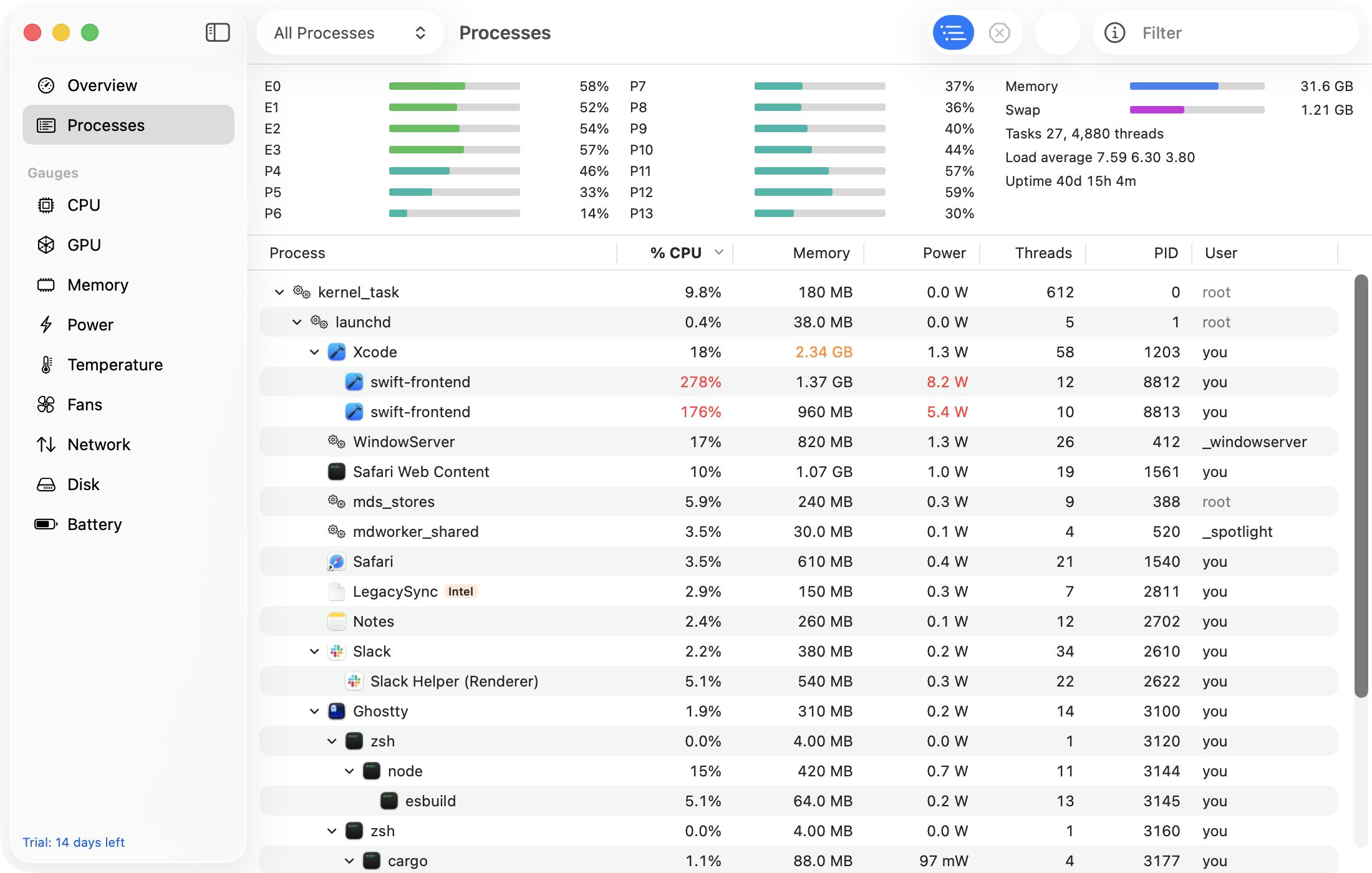
GaugeMon's Power gauge shows total system power in watts in the menu bar, and the Processes window has a Power column in watts per process from the kernel's energy accounting, plus wakeups per second. Sort by it and the drain has a name.